
How to build a restaurant prep list from POS sales
POS sales can provide a demand baseline for prep. They cannot see tomorrow’s catering order, the usable chicken already in the walk-in, a changed recipe, or the chef’s batch-size constraints. A good prep worksheet makes those inputs visible.
The problem
Restaurants commonly prep from memory, last week, or a broad weekly average. Those approaches hide assumptions. A better process converts sold menu items into prep components and keeps the operator adjustments beside the formula.
Example CSV columns
Start with one row per sold item:
business_date,location,item_name,quantity_sold,voided2026-06-01,Downtown,Chicken Bowl,38,false2026-06-08,Downtown,Chicken Bowl,42,falseAdd a separate conversion table:
menu_item,prep_item,portions_per_prep_unit,prep_unitChicken Bowl,Cooked chicken,4,batchChicken Bowl,House sauce,12,quartDo not mix recipe definitions into the raw sales table.
The worksheet flow
- Select comparable operating days.
- Exclude or flag closures, partial services, and major promotions.
- Calculate an expected sold quantity per menu item.
- Join each menu item to its prep components.
- Divide demand by recipe yield.
- Apply a reviewed buffer.
- Subtract usable on-hand prep.
- Add confirmed catering or event quantities.
- Round using the kitchen’s real batch rules.
- Record manager overrides with a reason.
target = (expected sales ÷ recipe yield) × buffer - usable on hand + event demandScreenshot and demo
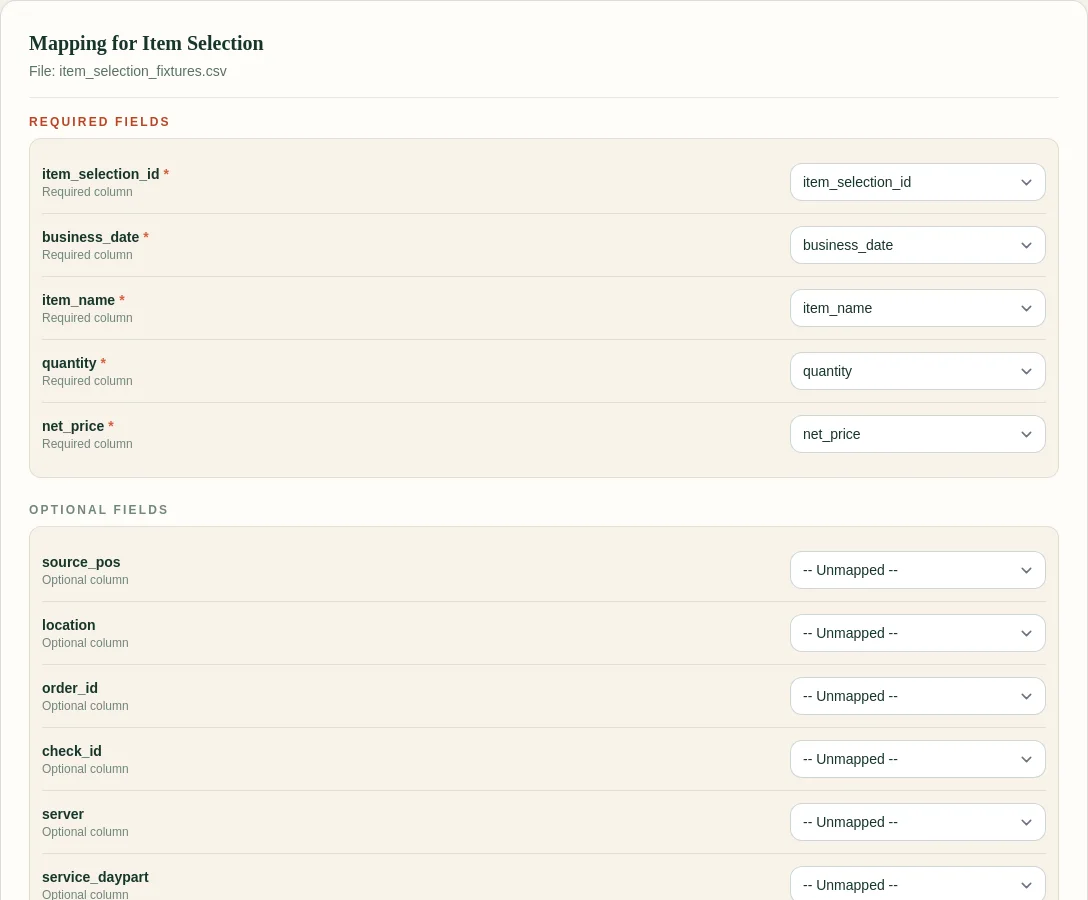
Clean inputs matter because one renamed quantity or date column can silently change the result.
Free sample workbook
- Download the restaurant prep list template
- Download sample weekday sales
- View the FoodSaver workbook demo
The template is intentionally formula-friendly and keeps review notes beside the target.
Pricing
FoodSaver’s Toast workbook generator includes three free successful generations per UTC day within free limits. Pro is $19/month or $190/year for larger limits, history, saved mappings, email delivery, and 90-day retention.
Frequently asked questions
Can I use revenue instead of quantity?
Prep is normally driven by units or portions, not dollars. Price changes make revenue a poor substitute for physical demand.
How do I handle shared ingredients?
Map every relevant menu item to the shared prep component, calculate its contribution, then sum the component demand.
Should I include voids?
Keep them visible. Whether they represent actual kitchen production depends on when the void happened and the operational question.
Does this replace chef judgment?
No. It gives chef judgment a documented baseline and a place to record overrides.