Skip to content

xtrachef-alternative

2 posts with the tag “xtrachef-alternative”

xtraCHEF vs FoodSaver for small kitchens: AP automation vs quick prep

Independent restaurant operators looking to optimize their food costs often evaluate inventory and kitchen management software. Two options that serve very different operational scopes are xtraCHEF (by Toast) and FoodSaver. Understanding their differences is essential for choosing the right tool without over-complicating your kitchen workflows.

xtraCHEF: the full back-office suite

xtraCHEF is a comprehensive back-office platform designed for medium-to-large restaurant groups. It focuses on accounts-payable automation and full inventory control:

  • Accounts Payable (AP) automation: Scan paper invoices with OCR technology to automatically log prices and sync them with accounting software like QuickBooks.
  • Recipe costing: Dynamically track how ingredient price fluctuations affect the cost of individual menu items.
  • Theoretical inventory: Track exact food usage by linking raw ingredient shipments to POS sales to calculate theoretical vs. actual waste.

While powerful, xtraCHEF requires a significant time commitment. Staff must scan every single invoice, keep recipe ingredient weights accurate, and conduct regular physical inventory counts for hundreds of raw ingredients.

FoodSaver: prep planning and key item tracking

FoodSaver addresses a different problem: the need for a simple, fast workflow that busy kitchen staff can actually maintain without heavy administrative overhead.

  • POS export preprocessing: Automatically parse and format raw sales exports from Toast or Square.
  • Key item tracking: Focus inventory counting only on the 10 to 30 high-waste items that drive daily prep and ordering decisions (e.g., proteins, baked goods, prepared sauces).
  • Daily prep schedule generation: Use current inventory levels and historical sales trends to auto-generate daily prep and bake targets.

FoodSaver does not scan paper invoices, manage accounts payable, or calculate plate-level recipe costs. It is built strictly to prevent overproduction and spoilage on a shift-by-shift basis.

Comparative summary

Workflow FeaturextraCHEFFoodSaver
Invoice OCR & AP syncYesNo
Recipe costing & plate marginsYesNo
Raw ingredient stock countsHundreds of items10-30 key items
Daily prep list generationNoYes
Setup timeWeeksMinutes

If you need a simple tool to track your highest-waste items and turn Toast or Square POS reports into automated daily prep sheets without the overhead of a full back-office system, FoodSaver provides a lightweight, focused alternative.
xtraCHEF alternative for small restaurants: when a workbook is enough

FoodSaver is not a feature-for-feature replacement for xtraCHEF. It is a lighter option for a narrower job: turning supported Toast CSV exports into a reviewable Excel workbook.

The problem

A small restaurant may search for an xtraCHEF alternative for very different reasons:

  • it needs invoice automation and inventory management;
  • it wants recipe costing and actual-versus-theoretical analysis;
  • or it simply needs cleaner Toast sales and modifier files this week.

Those are not equivalent buying decisions.

What xtraCHEF is built to do

xtraCHEF’s official product pages describe a broad restaurant back-office platform: accounts-payable automation, invoice capture, inventory, recipe and plate costing, price tracking, purchasing, and sales/PMIX analysis. Public pricing is handled through a request form at the time of this review on June 23, 2026.

Choose that class of platform when invoice and inventory workflows are the actual problem and the team will maintain the required operational data.

What a lightweight workbook workflow does

FoodSaver currently:

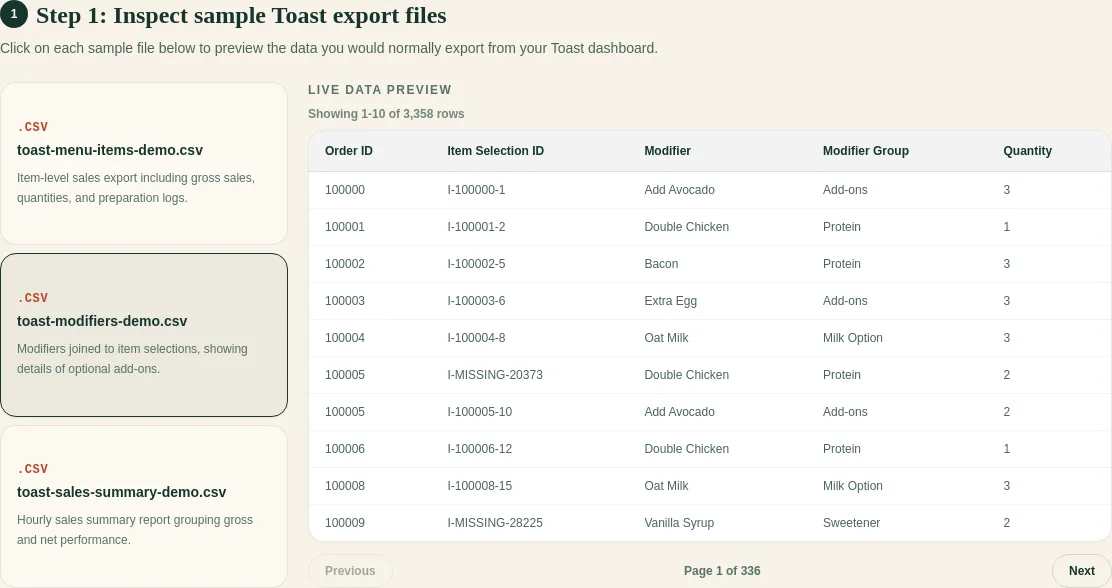
  • accepts Item Selection Details and supported optional Toast exports;
  • asks you to confirm columns;
  • joins modifiers only through exact identifiers;
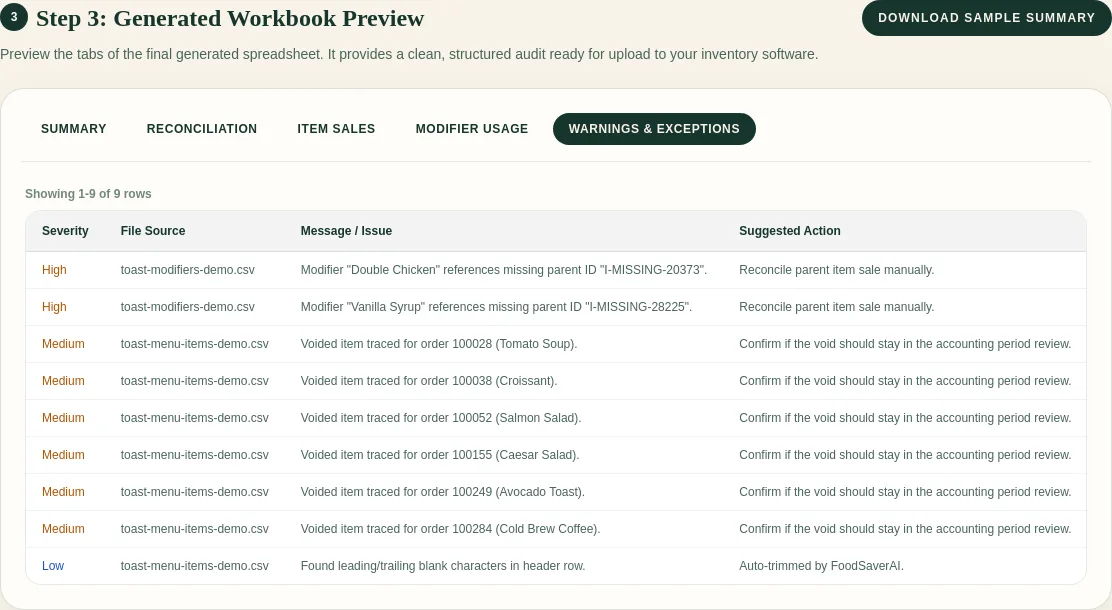
  • creates clean item, modifier, reconciliation, and exception views;
  • preserves supported optional files as source sheets;
  • leaves accounting and operational decisions to the reviewer.

It does not scan invoices, manage inventory, calculate actual-versus- theoretical food cost, or replace accounting integrations.

Example Toast CSV columns

item_selection_id,business_date,item_name,quantity,net_price
item-204,2026-06-22,Burger,1,10.00

For the narrow workbook workflow, those item-level fields plus exact modifier parent IDs matter more than a full back-office implementation.

Decision table

NeedBetter fit
AP automation and invoice codingxtraCHEF-class platform
Inventory and recipe costingxtraCHEF-class platform
Actual vs theoretical usagextraCHEF-class platform
Clean Toast item/modifier workbookFoodSaver or a manual Excel process
One-off export cleanupStart lightweight
Multi-location back-office standardizationEvaluate a full platform

Screenshot and demo

FoodSaver Toast workbook preview using synthetic data

View the public demo before deciding whether the narrower workflow solves enough of the problem.

Free sample workbook

Pricing

FoodSaver provides three free successful generations per UTC day within free limits. FoodSaverAI Pro is $19/month or $190/year. xtraCHEF asks visitors to request pricing; verify the current quote and included modules directly.

See FoodSaver pricing.

Frequently asked questions

Is FoodSaver a full xtraCHEF replacement?

No. FoodSaver covers a much narrower export-cleanup and workbook job.

Which option is better for invoice processing?

xtraCHEF’s documented scope includes AP automation and invoice capture. FoodSaver does not.

When should I start with a spreadsheet workflow?

When the immediate recurring pain is a small, defined file-cleanup task and you have not validated the need for a full back-office platform.

Is xtraCHEF only for Toast restaurants?

xtraCHEF says it can serve restaurants beyond Toast, while some advanced benefits are recommended with Toast.

Sources

Also compare the MarginEdge alternative decision.

Try the free Toast Prep + OneCSV workbook generator.