
Toast PMIX to prep list: a practical spreadsheet workflow
Toast Product Mix can anchor a prep worksheet, but it cannot answer “how much should we prep?” by itself. The useful workflow preserves the sales history and makes every operator assumption visible.
The problem
PMIX counts sold menu items. Prep lists call for pans, pounds, quarts, batches, or eaches. Turning one into the other requires restaurant-specific recipe yields.
A sound worksheet also needs to separate weekdays, subtract usable on-hand prep, and account for catering, promotions, closures, and menu changes.
Example Toast CSV columns
business_date,menu_group,item_name,quantity_sold,net_sales2026-06-01,Entrees,Chicken Bowl,38,456.002026-06-08,Entrees,Chicken Bowl,42,504.002026-06-15,Entrees,Chicken Bowl,35,420.00Useful fields include Business Date, Menu Group, Menu Item, Quantity, and Net Sales. Quantity drives the prep conversion. Net Sales belongs in the sales review, not the prep-unit formula.
Build the conversion table
Create a maintained table with:
| Menu item | Prep component | Portions per unit | Prep unit |
|---|---|---|---|
| Chicken Bowl | Cooked chicken | 4 | batch |
| Chicken Bowl | House sauce | 12 | quart |
| Roasted Vegetables | Roasted vegetables | 6 | pan |
Then calculate:
base prep = expected menu-item quantity ÷ portions per prep unittarget prep = base prep × (1 + reviewed buffer) - usable on handLabel the expected quantity method. A trailing three-Monday average and “last Monday” are different assumptions.
Screenshot and demo
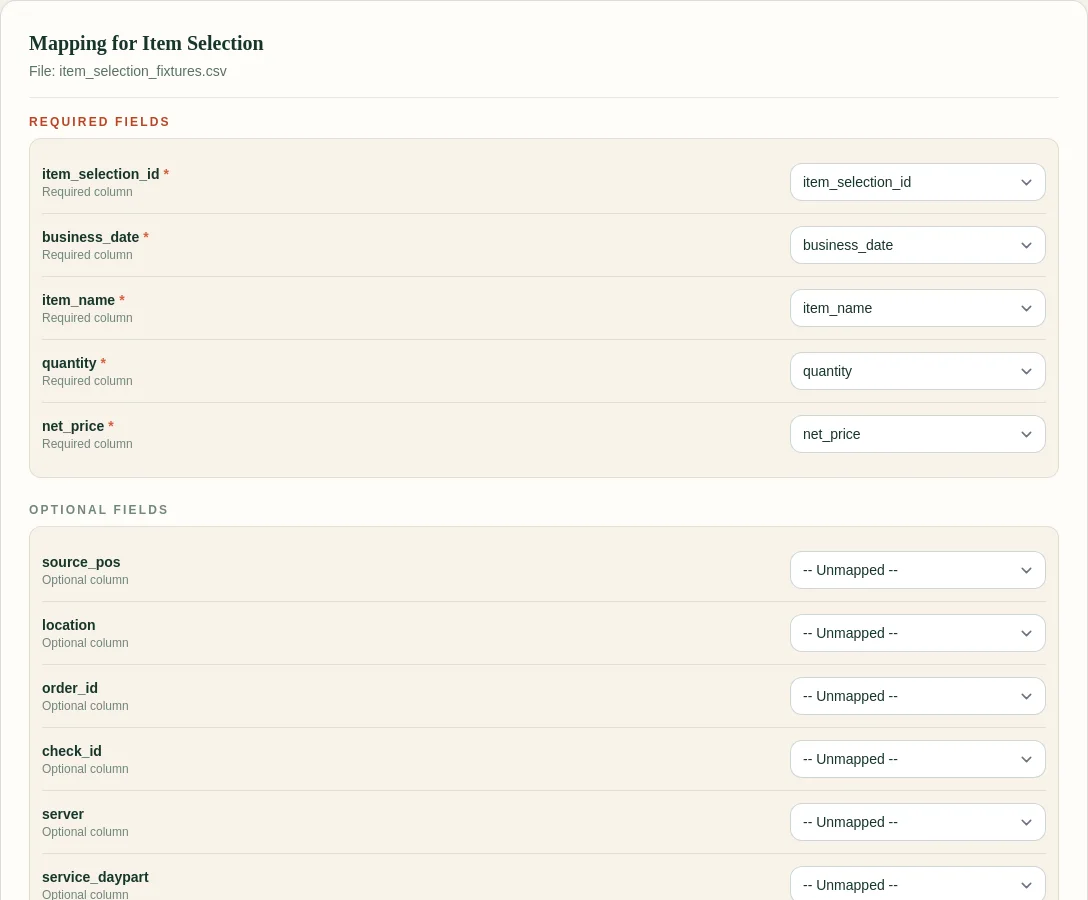
The current FoodSaver generator cleans the source exports and preserves Product Mix as a source sheet. It does not yet make prep recommendations.
Free sample workbook
The template is Excel-ready and includes formula inputs plus a review-note column for chef overrides.
Pricing
FoodSaver provides three free successful workbook generations per UTC day within free limits. Pro is $19/month or $190/year, with larger limits, saved mappings, history, email delivery, and 90-day retention.
Frequently asked questions
How many weeks should I average?
Start with three to six comparable weekdays. Use a shorter window after major menu, hours, pricing, or demand changes.
What buffer should I use?
There is no universal percentage. Review sell-outs, leftover prep, shelf life, batch size, and service risk. Record the chosen buffer instead of hiding it in a formula.
Should modifiers become prep items?
Only when a modifier maps to a real component and the relationship is useful. Keep modifier demand separate from base entrée quantity.
Can FoodSaver produce this automatically?
Not yet. FoodSaver currently prepares a clean workbook so the source data and exceptions are reviewable before prep logic is added.